Your mobile toolkit for Total Battle
Battle Reaper adds a configurable floating panel over the game. Speed up repetitive actions, manage armies and react to incoming attacks without constantly switching between applications.
A clearer, more polished Battle Reaper
Version 2.0.0 refreshes the application experience while keeping the familiar Battle Reaper tools.
Refreshed interface
A consistent dark design makes the main screen and feature settings easier to navigate.
Guided permission setup
See the current status of every required permission and open the correct Android setting directly.
Clearer feature controls
Configure visibility and settings for individual tools before opening the floating panel.
Stability improvements
Updated application components improve compatibility with current Android devices.
Install the official APK
Battle Reaper is distributed directly through Total Battle Helper and is not available on Google Play.
Download the APK
Use the download button on this page and wait for the file to finish downloading.
Allow installation from this source
If Android asks, allow your browser or file manager to install unknown apps.
Install and sign in
Open the APK and sign in with your Total Battle Helper account.
Grant the required permissions
The application shows which settings still need to be enabled and opens the correct Android screen.
Useful tools available immediately
Sign in with your Total Battle Helper account and use these functions without unlocking the full application.
March speed boost
Speed up repetitive march-related interactions from the floating panel.
Auto-clicker
A configurable general-purpose clicker available directly over the game.
Army resurrection
Automate resurrection using sacred potion in the temple.
Floating back button
Keep a convenient Back control visible while playing.
Unlock advanced automation and protection
The full version expands the floating panel with army management and monitoring tools.
List scrolling
Automatically scroll supported in-game lists.
Army removal
Automate removing an army from the temple.
Army training
Configure and automate army creation.
Incoming attack detection
Monitor for an enemy attack and receive an immediate alert.
Screenshot capture
Capture the game screen when the configured event is detected.
Per-feature settings
Control visibility and configure each function independently.
Try the free tools first
The basic features remain available without unlocking. Spend 200,000 tokens only when you want access to all advanced Battle Reaper functions.
- The unlock applies to your Total Battle Helper account.
- No Google Play purchase or separate subscription is required.
- Your current activation status is visible inside the application.
A configurable control center over the game
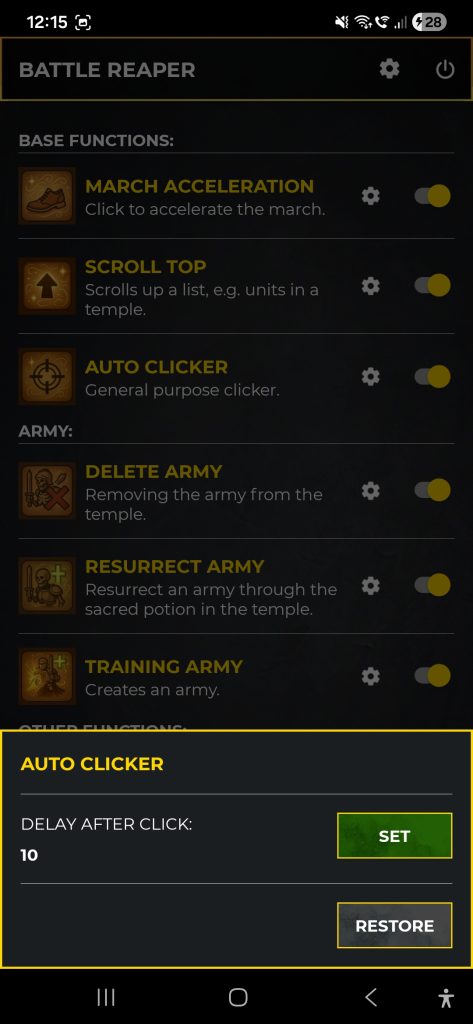
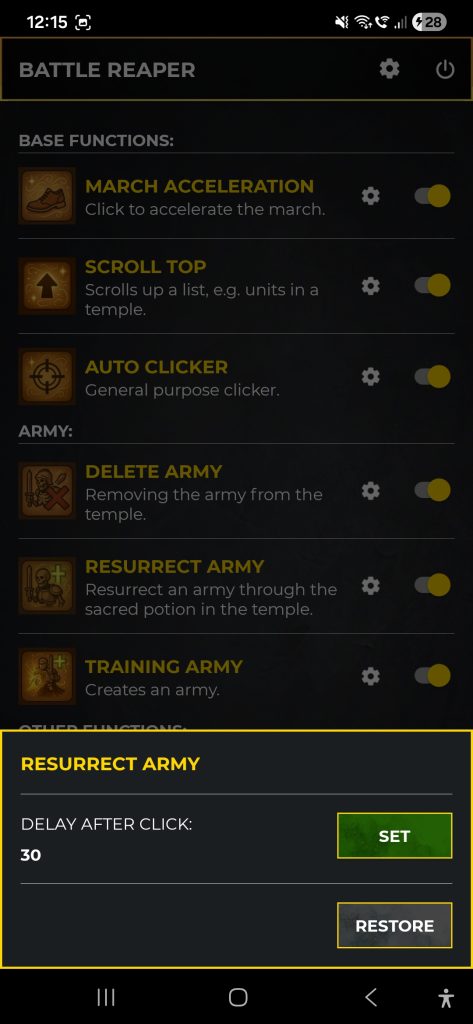
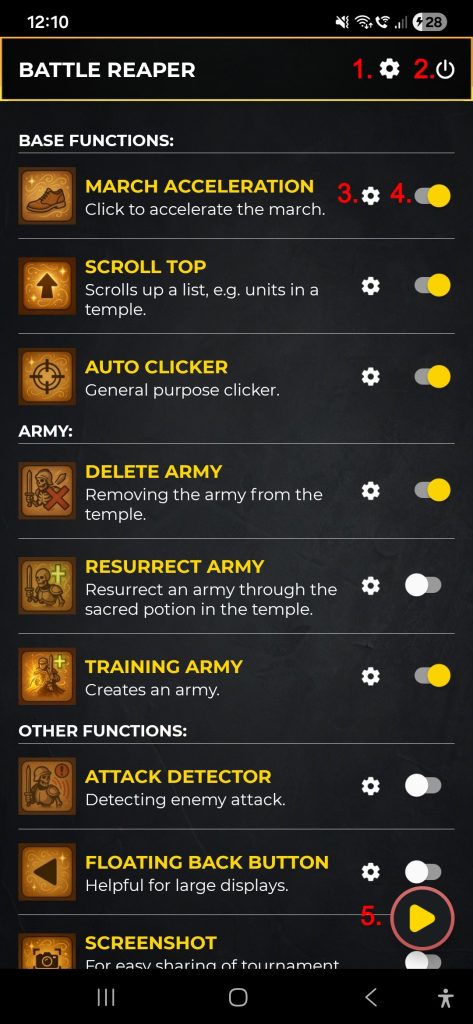
Choose which functions appear on the floating panel and adjust their settings before starting the service.

Main screen
Enable tools and open settings for individual functions.
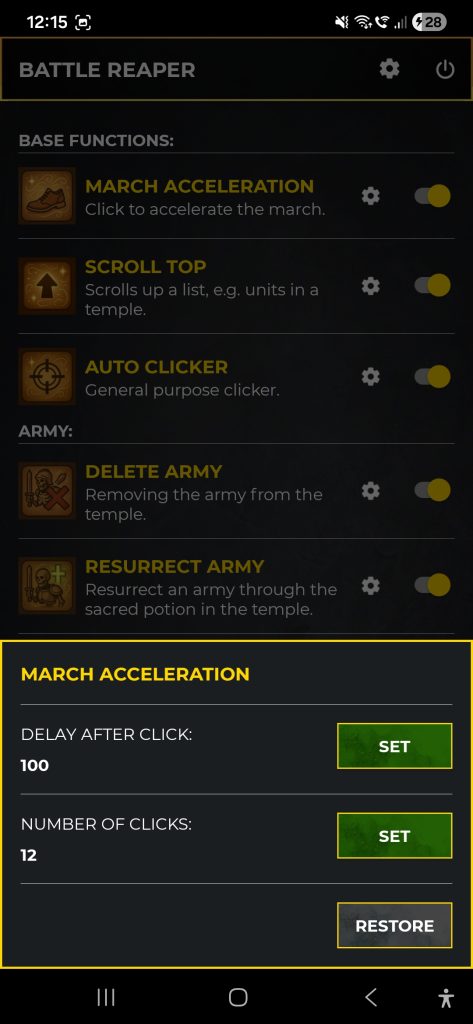
Feature settings
Configure behavior before activating a function.

Floating panel
Control enabled tools without leaving Total Battle.
Start Battle Reaper in four steps
Sign in
Use your Total Battle Helper account.
Configure permissions
Enable notifications, display over other apps and the accessibility service.
Select your tools
Choose which functions should be visible and configure their settings.
Start the service
Open Total Battle and control the selected tools from the floating panel.
See the setup and key tools in action
These are the original Battle Reaper guides from the previous version of this page.
Permissions and first launch
Follow the Android permission setup before starting the Battle Reaper service.
Removing an army
See the temple army removal tool in use.
Army training
See how the configured training tool works.
Army resurrection
See automated resurrection in the temple.
Attack detector
See how Battle Reaper warns about an incoming attack.
Only the access required by enabled features
Battle Reaper explains the purpose of every required Android setting and lets you open the appropriate system screen directly.
Display over other apps
Shows the floating panel and controls over Total Battle.
Accessibility service
Allows enabled tools to perform configured interactions.
Notifications
Keeps the active foreground service visible and delivers alerts.
Screen capture
Used only by functions that need to analyze or capture the visible game screen.
Before you begin
- An Android device with Total Battle installed.
- A Total Battle Helper account and a stable internet connection.
- A screen width of 720, 1080 or 1440 pixels is recommended.
- The required Android permissions enabled for the features you use.
The floating panel does not appear
Check Display over other apps and make sure the Battle Reaper service is active.
A function is missing from the panel
Return to the main screen and enable visibility for that function.
A tool does not react
Verify its settings and confirm that the Battle Reaper accessibility service is enabled.
Android warns about the APK
This is a standard message for applications installed outside Google Play. Download only from totalbattlehelper.com.
Use Battle Reaper tools directly over Total Battle
Install the official APK, sign in and configure Battle Reaper for the way you play.